Start Playing with DoPpleGang

New Player Guide

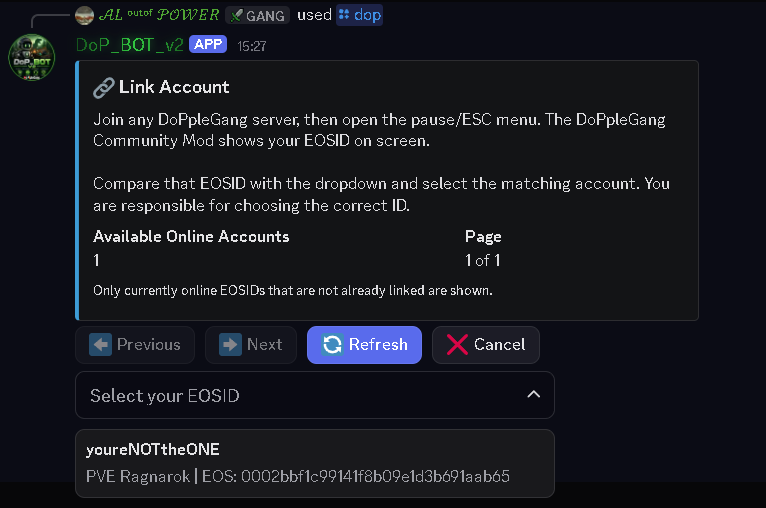
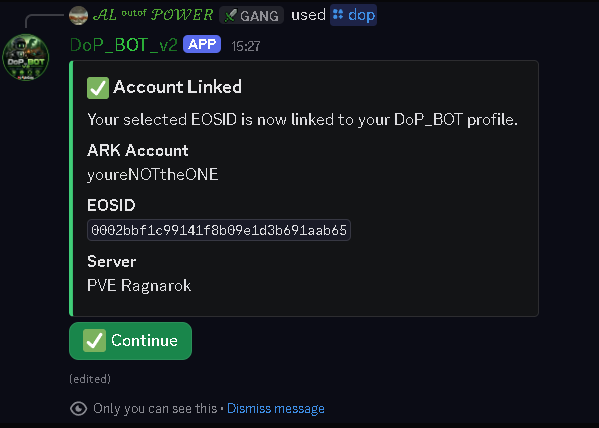
Follow these steps to find the servers, locate your EOSID and connect the correct ARK account to DoP_BOT.

DoPpleGang is free to play. Before joining, please read the community and ARK PvE rules. Payment is never required to join, progress or receive normal player support.

01

Join the DoPpleGang Discord

Discord is the main home of the DoPpleGang community. Server notices, support tickets, staff assistance and DoP_BOT are all available there.
02

Find DoPpleGang in ARK

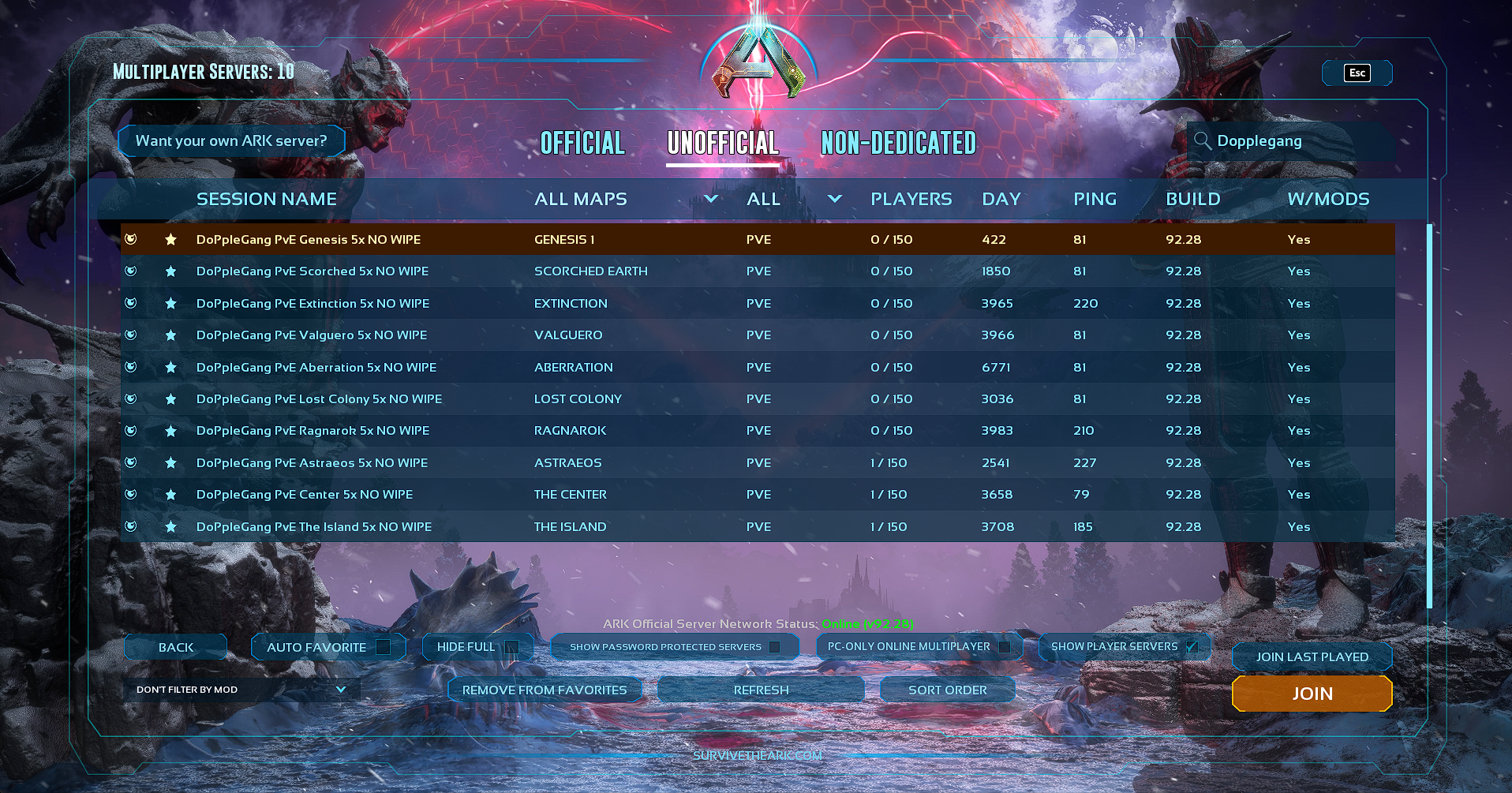
Open the ARK server browser, select Unofficial, use the filters shown below and search for DoPpleGang.

choose the map you want to play on and join that server.

ARK unofficial server browser showing the filters and DoPpleGang server search
Select Unofficial and search for DoPpleGang. Select the image to open it at full size.
03

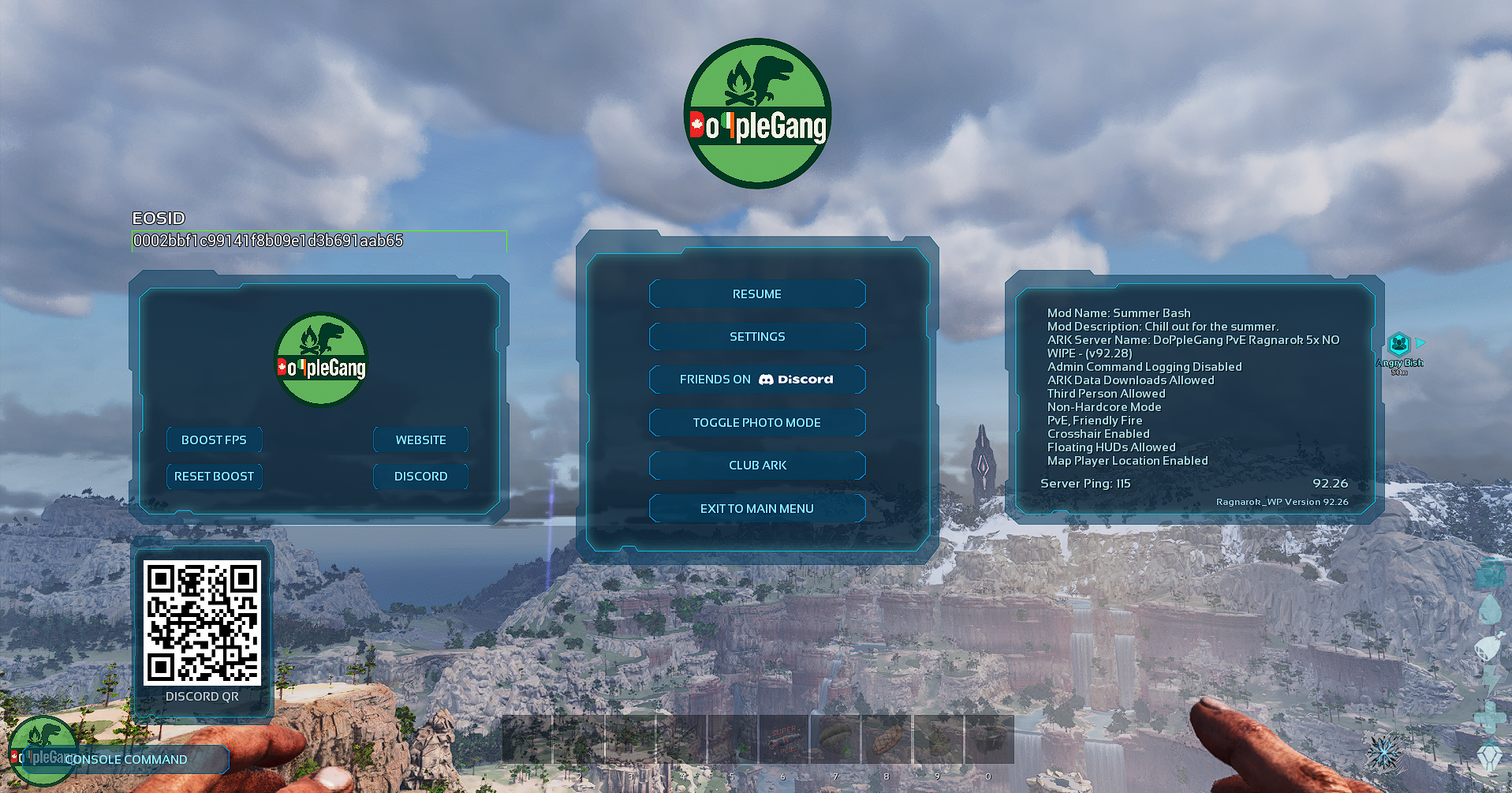
Find Your EOSID

While connected to a DoPpleGang server, open the in-game pause menu by pressing Esc.

Your EOSID is displayed in this menu. Make a note of the complete EOSID so you can compare it with the accounts shown by DoP_BOT.

ARK pause menu showing where the player's EOSID is displayed
Find the EOSID shown in your in-game pause menu.

Something does not match?

Do not link an account you cannot verify. Open a support ticket in the DoPpleGang Discord and allow staff to investigate before continuing.

Open DoPpleGang Discord